
Validation Rules define reusable checks and assign them to individual form fields. Kali Forms evaluates assigned rules on the server before it saves the entry or runs later submission actions.
Create a rule
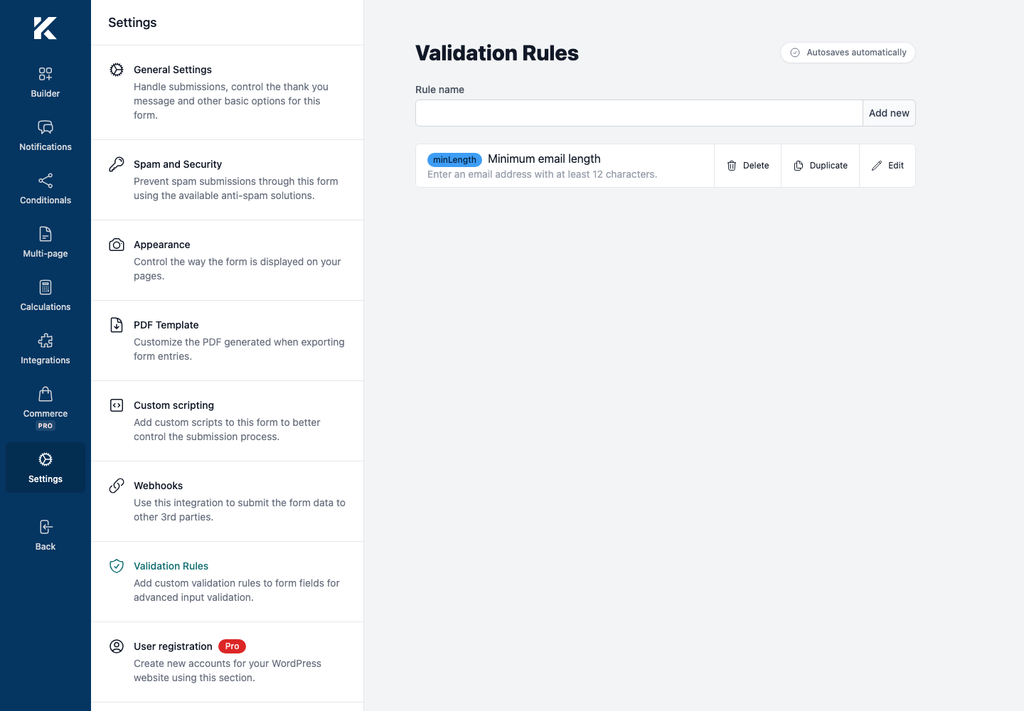
- In WordPress, go to Kali Forms > Forms and edit a form.
- Select Settings in the builder navigation.
- Select Validation Rules.
- Enter a descriptive Rule name.
- Select Add new.
- Open the rule from the list.
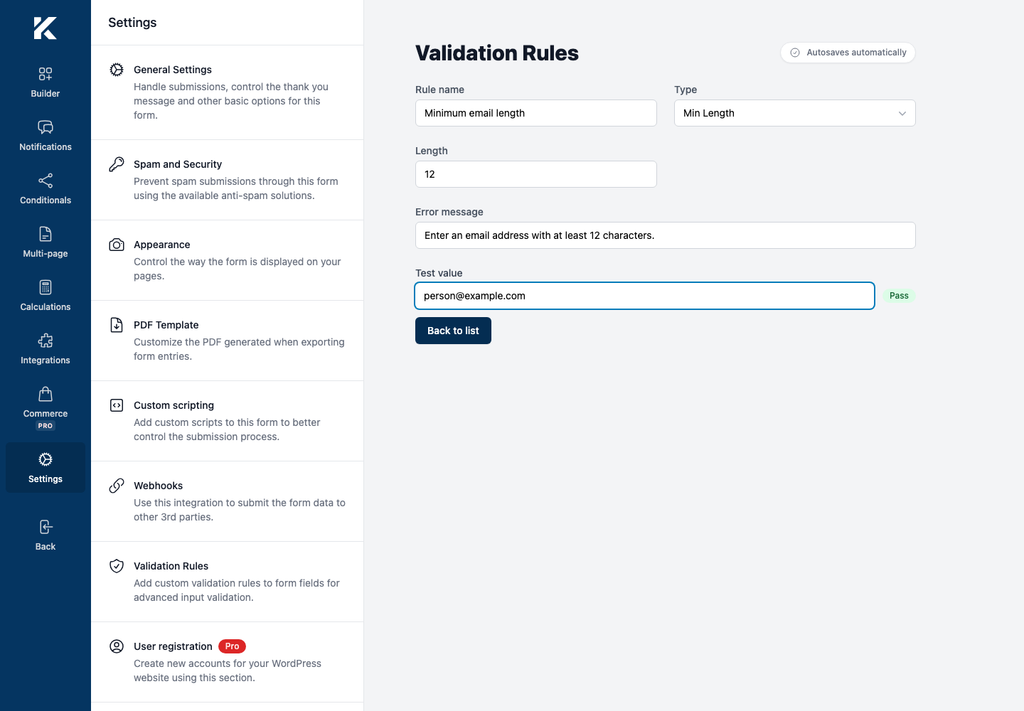
- Select a Type and configure its parameter, if it has one.
- Enter the Error message shown when the rule fails.
Changes in the rule editor are saved automatically after a short delay.
Choose a rule type
The editor provides these types:
- length: Min Length, Max Length, and Exact Length;
- numeric: Min Value and Max Value;
- format: Regex Pattern, Email, URL, and Phone Number;
- text: Contains, Does Not Contain, Starts With, and Ends With;
- comparison: Matches Field;
- Custom Expression.
The parameter control changes with the selected type. For example, a minimum-length rule uses Length, a pattern uses Regex pattern and optional Flags, and a matches-field rule uses the other field’s field name.
Test the rule definition
Enter a sample in Test value. The editor displays Pass or Fail immediately. Test boundary values as well as clearly valid and invalid values.
This test checks the rule definition in the builder. A complete test must also submit the published form after the rule is assigned to a field.
Assign the rule to a field
- Return to Builder.
- Select a supported input field, such as a text box, textarea, number, email, telephone, URL, password, or hidden field.
- Open the field’s Validation panel.
- Select Add rule.
- Select the rule by name.
- Optionally enter an Override error message for this field.
- Save the form.
The global rule message is used when the assignment has no override. An override applies only to that field assignment.
Verify the published form
- Open the published page containing the form.
- Enter a value that should fail the rule.
- Submit the form.
- Confirm that the configured message appears and that the success message does not appear.
- Enter a valid value and submit again.
- Confirm that the form is accepted.
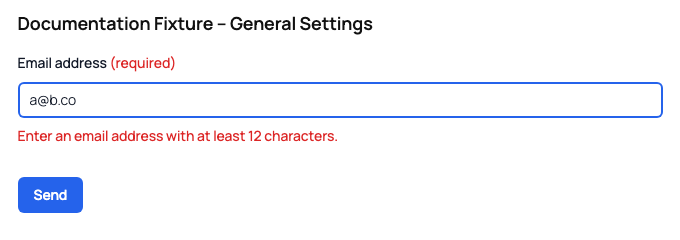
The deterministic verification assigned a 12-character minimum to the email field. [email protected] passed the browser’s email syntax check but was rejected by Kali Forms, while [email protected] was accepted.
Important behavior
- Empty optional fields are skipped by server-side custom validation.
- Required fields are evaluated even when empty.
- Kali Forms reports one custom validation error per field.
- A field-level override takes precedence over the rule’s default error message.
- Rules run before entry saving, webhooks, and normal submission processing.
Custom Expression limitation
Kali Forms 3.0.0 deliberately treats Custom Expression as passing during server-side validation. The builder’s Test value can evaluate the expression in the browser, but that result is not an authoritative server-side check. Do not use Custom Expression for security, authorization, payment, or data-integrity requirements in this version.