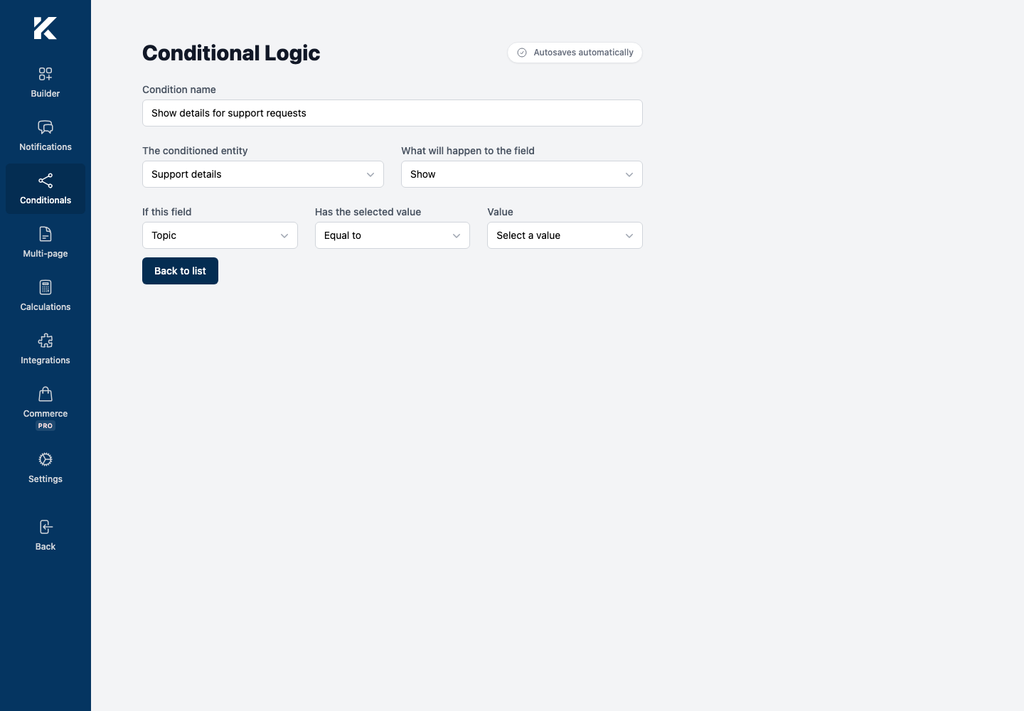
Conditional logic changes whether a field is shown or hidden according to a visitor’s answer. It lets one form adapt to different submissions without adding a separate conditional field type.
How conditional logic works
Each condition connects two existing form fields:
- The conditioned entity is the field that Kali Forms shows or hides.
- The conditioner is the field whose submitted value is checked.
- The action is Show or Hide.
- The comparison is Equal to, Different than, or One of.
- The value is the answer that activates the condition.
For example, you can show a details field only when Topic equals support. Conditional logic controls the details field; it does not create a new field type.
Where to find it
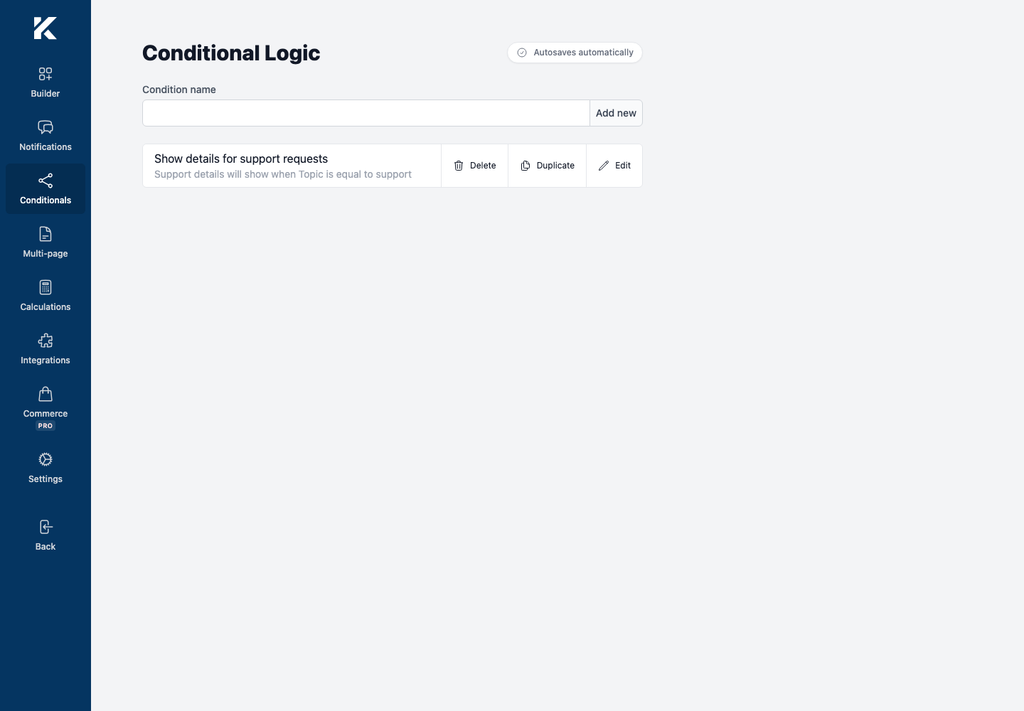
Open Kali Forms > Forms, edit a form, and select Conditionals in the builder navigation. The page heading is Conditional Logic. Existing conditions appear as summaries, and Add new creates another rule.