
Standalone Forms gives each published Kali Forms form its own public URL. You do not need to create a WordPress page or add a shortcode.
Understand the URL structure
A standalone URL contains two editable parts:
https://example.com/base-slug/form-slug
- The first URL slug is a site-wide base used by every standalone Kali Forms form.
- The second value is the current form’s WordPress slug.
For example, the verification fixture uses:
https://website.com/form-docs/general-settings-demo
Choose a base that does not conflict with an existing page, post type, or rewrite route. Each form slug must be unique among Kali Forms forms.
Enable standalone pages
- In WordPress, go to Kali Forms > Forms and edit a form.
- Select Settings in the builder navigation.
- Select Standalone Forms.
- Enable Enable standalone form pages.
- Enter the site-wide URL slug.
- Enter the slug for the current form in the second URL field.
- Move focus out of each slug field so the change is saved.
The screen displays This form’s URL below the fields.
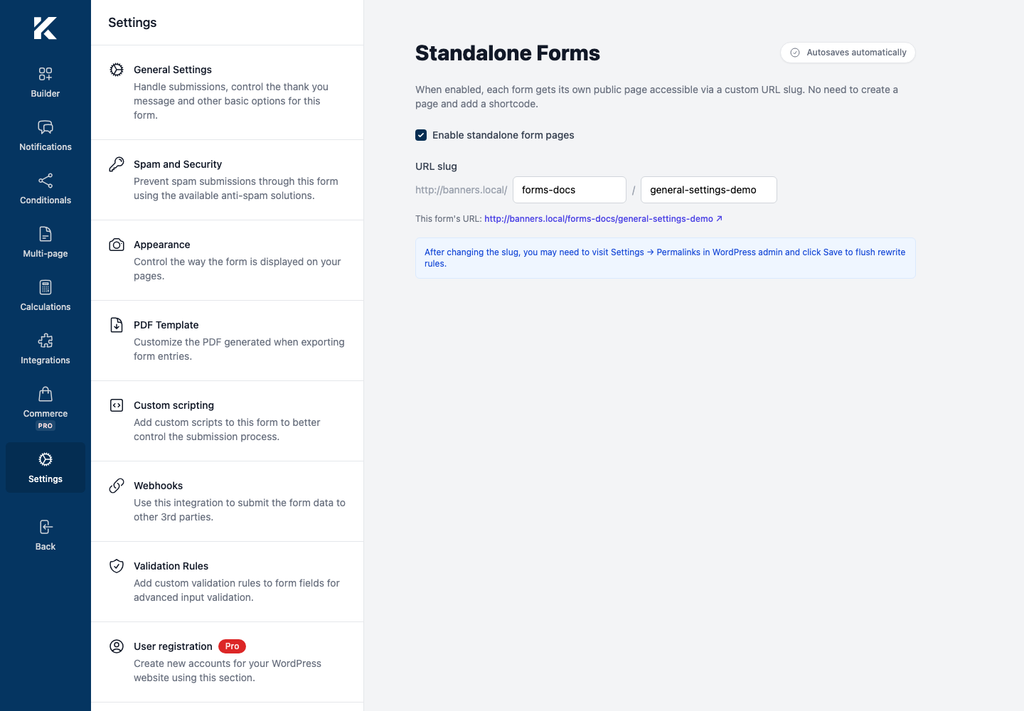
Enabling or disabling this setting affects standalone access for all Kali Forms forms on the site. Changing the base slug also changes every standalone form URL. The second slug changes only the form currently being edited.
Test the standalone page
- Select the link shown beside This form’s URL, or open it in a private browser window.
- Confirm that the correct form loads.
- Complete the form with non-sensitive test data.
- Submit it and confirm the expected success behavior.
- Test the URL while logged out if the form is intended for public visitors.
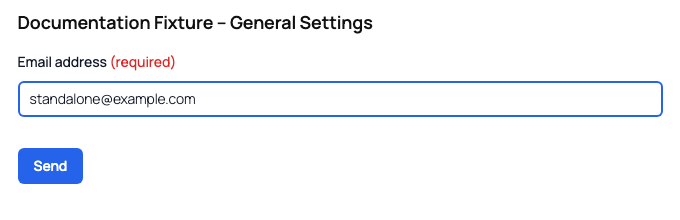
The page is a single kaliforms_forms post. Kali Forms injects the form shortcode into that post’s main content at render time.
Change a standalone URL
When you change either slug, update links in menus, emails, QR codes, campaigns, and external sites. Kali Forms does not create redirects from the old URL.
The settings endpoint clears WordPress rewrite rules after a change. If the new URL still returns 404, go to Settings > Permalinks in WordPress and select Save Changes once, as the in-product note recommends.
Disable standalone pages
Turn off Enable standalone form pages to stop public standalone routing for all Kali Forms forms. Pages that contain a Kali Forms shortcode are separate and continue to work.