
Spam and Security settings help reject automated or unwanted submissions before Kali Forms processes them. Protection is configured separately for each form.
Open Spam and Security
- In WordPress, go to Kali Forms > Forms and edit a form.
- Select Settings in the builder navigation.
- Select Spam and Security.
The screen contains General settings, Akismet, and reCaptcha & Turnstile tabs. Kali Forms autosaves changes.
Enable the honeypot
- Open General settings.
- Enable Enable Honeypt anti-spam. This is the exact label displayed in Kali Forms 3.0.0.
- Decide whether to enable Remove captcha for logged user. When enabled, logged-in visitors do not need to complete the configured captcha challenge.
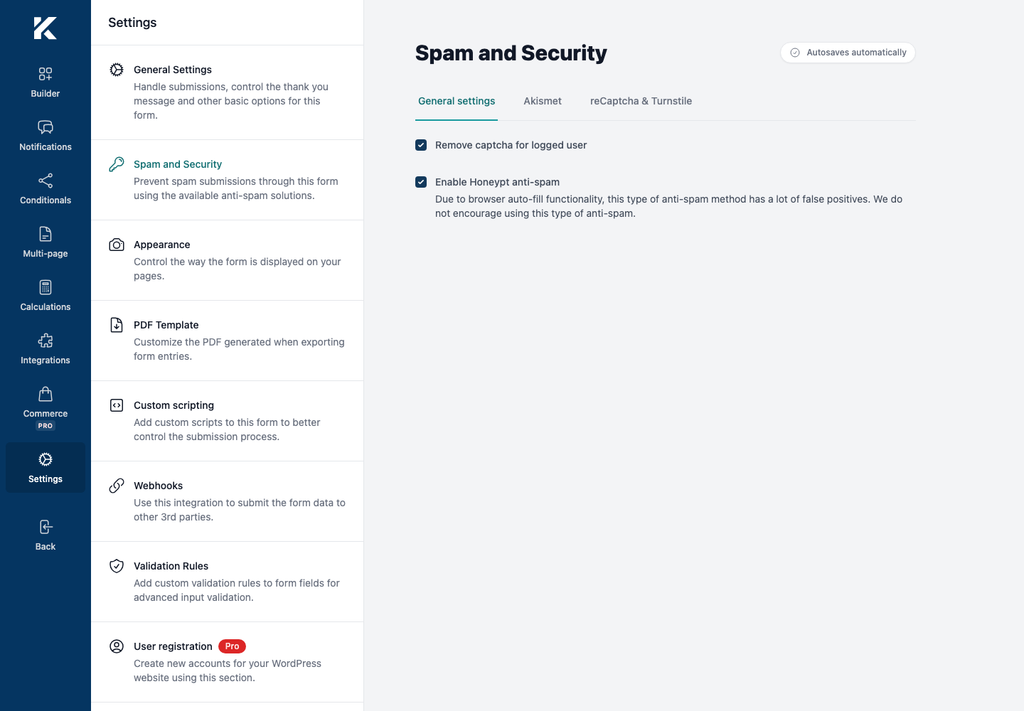
The honeypot adds hidden, non-focusable fields to the front-end form. Normal visitors do not interact with them. Kali Forms warns that browser autofill can create false positives with this method, so test the form with the browsers and password managers your audience commonly uses.
Enable Akismet
Before enabling Akismet, install and activate the Akismet plugin and configure its API key in WordPress.
- Open Akismet.
- Use the setting Enable akismet.
- Submit representative test entries and confirm legitimate submissions are accepted.
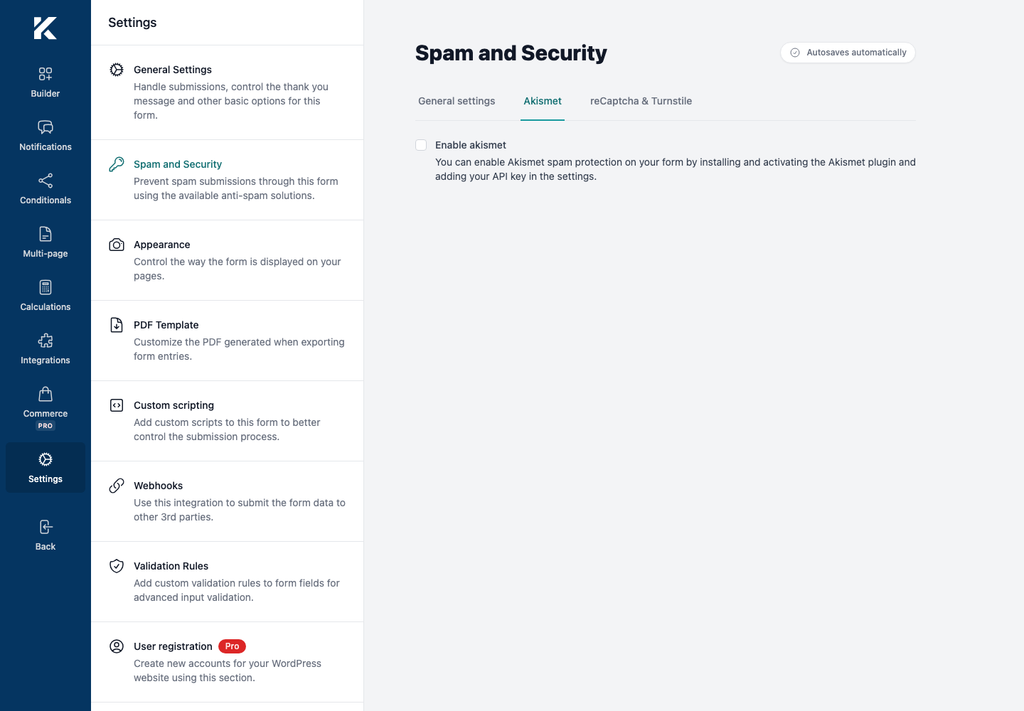
Kali Forms sends configured submission data to Akismet only when both the form option and the WordPress Akismet API key are available.
Enable Google reCAPTCHA v2
- Obtain a reCAPTCHA v2 site key and secret key for the form’s domain. reCAPTCHA v3 keys are not supported by this setting.
- Open reCaptcha & Turnstile.
- Enable Enable reCAPTCHA.
- Enter the reCAPTCHA v2 site key and reCAPTCHA v2 secret key.
- Wait for autosave.
- Open a published page containing the form and complete a test submission.
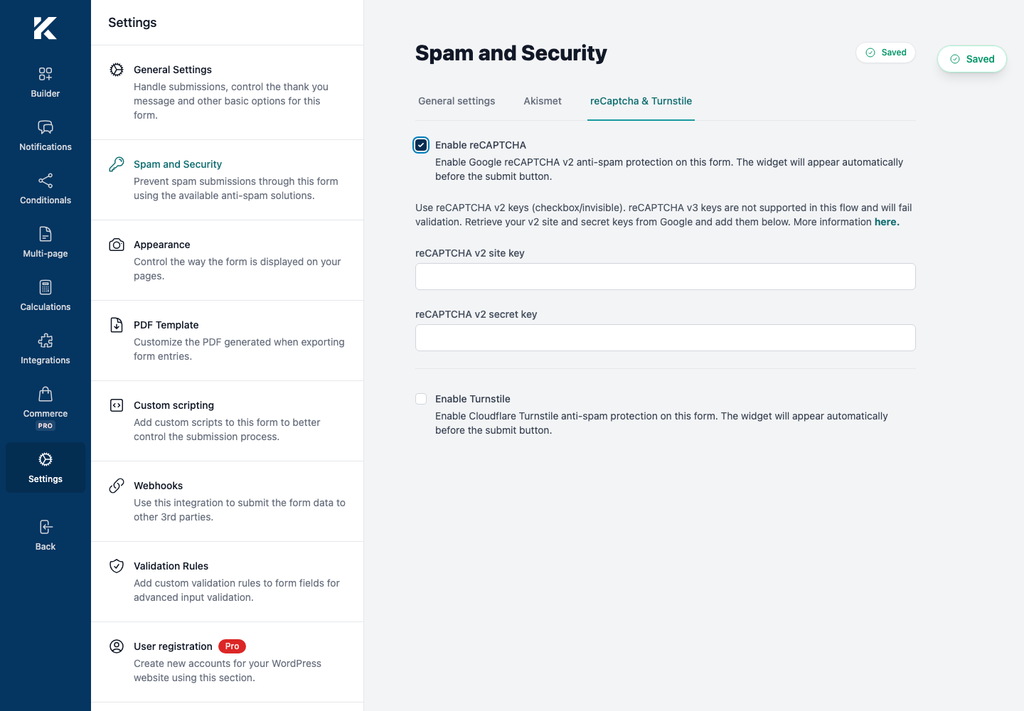
The widget appears before the submit button. Do not place real secret keys in screenshots, support tickets, or public documentation.
Enable Cloudflare Turnstile
- Obtain a Turnstile site key and secret key for the form’s domain.
- Open reCaptcha & Turnstile.
- Enable Enable Turnstile.
- Enter the Turnstile site key and Turnstile secret key.
- Wait for autosave and test the published form.
reCAPTCHA and Turnstile are mutually exclusive in Kali Forms 3.0.0. Enabling one disables the other.