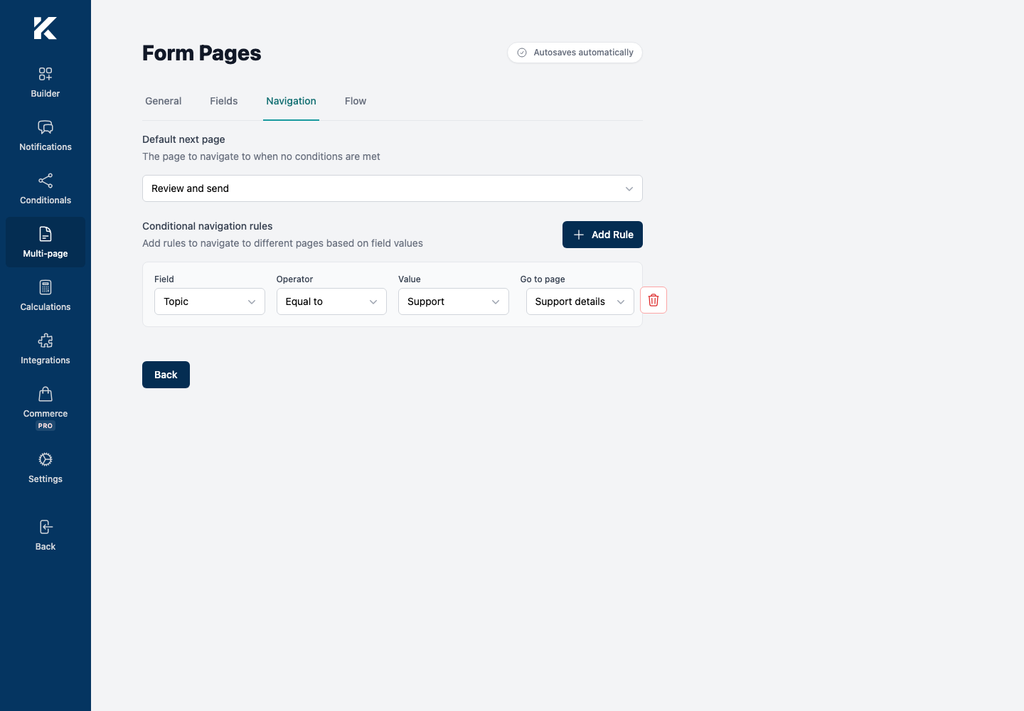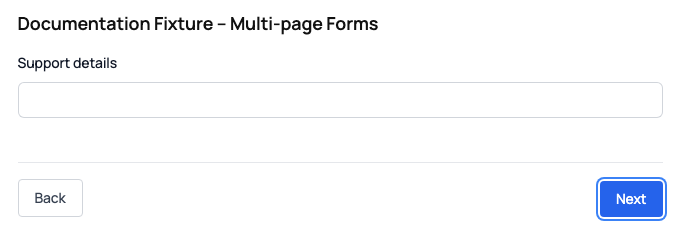
Send visitors to different form pages based on an answer from the current page. For example, show a support-details page only when Topic is Support, while other visitors continue directly to a review page.
Before you begin
- Activate Kali Forms Pro.
- Create at least two form pages and assign their fields.
- Put the field used by the condition on the page where the route starts.
Configure the route
- In WordPress, go to Kali Forms > Forms and edit the form.
- Select Multi-page.
- Select Edit for the page where visitors choose their route.
- Open Navigation.
- Under Default next page, select the page to use when no conditional rule matches.
- Under Conditional navigation rules, select Add Rule.
- Under Field, select the field to evaluate.
- Under Operator, select the comparison, such as Equal to.
- Enter or select the comparison Value.
- Under Go to page, select the destination for matching visitors.
- Wait until the autosave status reports Saved.